Hospitality solutions
How the 2011 site positioned the system for restaurant service.
Front of house
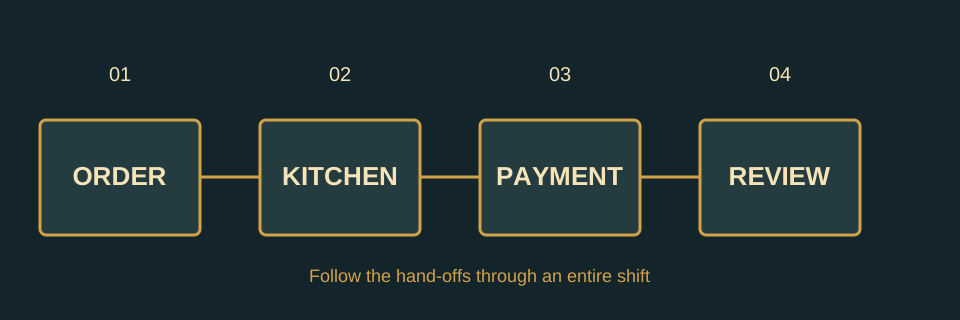
The old navigation placed hospitality alongside the broad product overview. The site addressed the practical pressure of busy service: entering an order, sending it to production, taking payment and reading the shift after it closes.
An operations sequence
| Moment | Historical positioning |
|---|---|
| Order | Simple entry by staff at a terminal. |
| Production | Information reaching the right station. |
| Payment | Transactions connected to the order record. |
| Review | Sales data available to managers. |
The old site did not provide enough recoverable detail here to validate a present feature list or current integration support.
A day from opening to close
A restaurant system has to serve several roles at once. Front-of-house staff need a clear way to enter items and changes; production teams need legible instructions; managers need to understand sales and exceptions after the rush. The 2011 RAP site used “Hospitality Solutions” as a separate route because the value of a POS depended on how it fit this whole working day.
The historical benefit claims clustered around three friction points. First, ordering and fulfillment could be quicker when information moved consistently. Second, new staff might find training easier when the workflow matched the tasks they perform. Third, the records created during service could support management decisions about staffing, sales and shrinkage. These are the themes visible in the recovered material, not promises that every deployment produced those outcomes.
Questions for different operators
A table-service venue would think about checks, seat and course handling; a counter-service venue would emphasise order throughput; a bar might focus on tabs and shift reconciliation. The old site did not give enough detail to verify a feature matrix for these venue types. This page therefore follows the restaurant-service logic that its navigation suggested rather than inventing a catalogue of integrations.
The benefits page explains why RAP promoted the system. The product overview places that pitch in its historical reseller context.
A practical walk-through
Start with a busy table, a changed modifier and a split bill. Ask who enters the change, where the kitchen sees it and how the final check reflects it. Repeat the exercise for counter service if that is part of the operation. The same terminal may be used in different ways, and the fit is in the workflow, not in a feature name.
Questions before a purchase
Document the menu size, preparation stations, staff roles, payment methods, reporting needs and the support window the venue requires. Ask for a demonstration using that list. Get current written answers for hardware, integrations, security updates, ownership of data, training and support. The journal provides a role-based training checklist and a full workflow map to make that conversation more precise.